You are a Customer Administrator. You create a new campaign and want to restrict who is able to edit, delete, and activate the campaign.
What should you do after saving the campaign?
ABy default, only the creator of the asset has full access and no further action is required.
BFrom the campaign, edit access from the Permissions menu option.
CFrom the campaign, edit access from the Settings menu option.
DFrom the Setup> users area, edit access to Asset Creation in Security Group Overview.
You are building a form for a white paper download, and you want to ensure that submitters who are unsubscribed still get the whitepaper emailed to them.
How do you configure this?
AUse the Add to Campaign form processing step to add the contacts to a re-engagement campaign.
BUse the Send Submitter an Email form processing step.
CUse the Subscribe Contacts Globally form processing step.
DUse the Email Group- Subscribe/Unsubscribe form processing step.
Your client wants to change the font of the out-of-the box subscription management page to match the company branding guidelines.
How do you configure this?
ANavigation to Setup> Display Formats and choose the desired font from the drop-down list.
BCreate a custom object to house the font style, then point the subscription page to the object.
CNavigate to Setup> Company Defaults and choose the desired font form the drop-down list.
DNavigate the Email Groups> Global Subscription Management > Edit& Preview Page.
IP warming is achieved by ________________.
ASlowly increasing the volume of emails to quality contacts
BSending a high volume of emails to valid email addresses
CConfiguring DKIM for all email domains
DRunning deliverability reports for every email sent from Eloqua
Become a Supporter and enjoy a completely ad-free experience, plus unlock Learn Mode, Exam Mode, AstroTutor AI, and more.
Ask AstroTutor
0
Ask AstroTutor
0
Ask AstroTutor
0
Ask AstroTutor
0
Ask AstroTutor
0
Ask AstroTutor
0
Ask AstroTutor
0
Ask AstroTutor
0
Ask AstroTutor
0
Ask AstroTutor
0
Ask AstroTutor
0
Ask AstroTutor
0
Where can you create or manage security groups?
ASettings> Setup> Email Batch Control
BSettings> Setup> Users> Groups
CSettings> Setup> Email Defaults
DSettings> Setup> Security
Your clients Sales team wants to know when their contacts or anyone from their contacts domains visits your clients website.
How should you enable this?
ASales should access web activity in either Engage reports or in Profiler.
BA client administrator must enable web alerts in Profiler settings and then configure alerts for each Salesperson in Profiler.
CA client administrator must enable web alerts in Profiler settings, and then Sales should configure and manage their own web alerts in Profiler.
DSales should access web activity in Engage reports.
While configuring the out-of-box subscription management page, your client mentions that they want to include several brand logos in the page.
How do you configure this?
AEdit the hyperlink on the email footers to pass an image query string through when the link is clicked.
BCreate a landing page with a custom subscription form.
CUpload a single image with all logos to the Company Defaults area.
DCreate dynamic content and add it to the subscription management page.
Your client is ready to change several of their Opportunity Stages in CRM, and you need to ensure Closed-Loop Reporting is not interrupted.
Which set of changes is necessary in Eloqua?
ATemporarily disable the Get Opportunities auto-synch. Delete the old Opportunity Stages. Set the new Opportunity Stages by copying and pasting them exactly as they appear in CRM.
BTemporarily disable all auto-synchs. Disable the old Opportunity Stages. Set the new Opportunity Stages by copying and pasting them exactly as they appear in CRM.
CTemporarily disable the Get Opportunities auto-synch. Disable the Old Opportunity Stages. Set the new Opportunity Stages by copying and pasting them exactly as they appear in CRM.
DTemporarily disable all auto-synchs. Delete the old Opportunity Stages.
You have set up a Campaign Approval workflow for your client, but they inform you that they cannot see the approvals feature in a campaign they are finalizing for launch.
Which two aspects should you ensure?
ACheck that the campaign is not using External Activities.
BCheck that the user’s security group has Campaign Approvals enabled.
CVerify that the campaign is a Simple Email campaign.
DVerify that the campaign is a Multi-Step campaign.
EMake sure that all campaigns in the install are deactivated.
What should the domain format be for the inclusion on the Master Exclude list?
A@domain1.com
Bdomain1.com
Chttps://www. domain1.com
Dhttp://www. domain1.com
Ewww. domain1.com
Your customer has the following campaign requirements:
-Display a header image that changes depending on what industry sector the recipient belongs to.
-An email that will only be sent to recipients who attended an offline event.
-An email that will only be sent to recipients who have a valid phone number.
Which three campaign elements should be used to accomplish this?
AA decision element that compares list membership
BA decision element that compares contact fields
CAn email containing dynamic content
DA decision element that compares segment membership
EAn email containing a query string web link
Your customer has content from multiple marketing channels and needs to record the channel from which visitors are coming.
How can this be accomplished?
AConfigure the tracking script to capture and send the referral data via the elq_x_value method.
BThe origin of visitors to an Eloqua-enabled landing page is tracked automatically.
CConfigure a query string parameter on the inbound links and create an update rule to capture the required value.
DConfigure a query string parameter in Eloqua and include the required value on the inbound links.
Your client has begun the IP warming process themselves, but are getting high bounce rates and spam complaints.
Which three methods would you suggest to improve the success rate of IP warming?
AReduce amount of complex code in emails.
BReview the criteria in the Segment used as the audience for the IP warming campaign.
CIncrease image-to –text ration in emails.
DRemove the unsubscribe link from the footer.
EReduce image-to –text ratio in emails.
A client wants to set up one subscription page for their consumer brands and another for their enterprise brands. All the emails for both brands use the same three email groups.
How should you configure the subscription management center?
AUse two different custom subscription landing pages that both integrate with the existing email groups.
BUse a query string to personalize the URL for the subscription landing page.
CSelect Split Email Group from the drop-down menu under Setup> Email Groups.
DSelect Create New Subscription Center under Global Subscription Management.
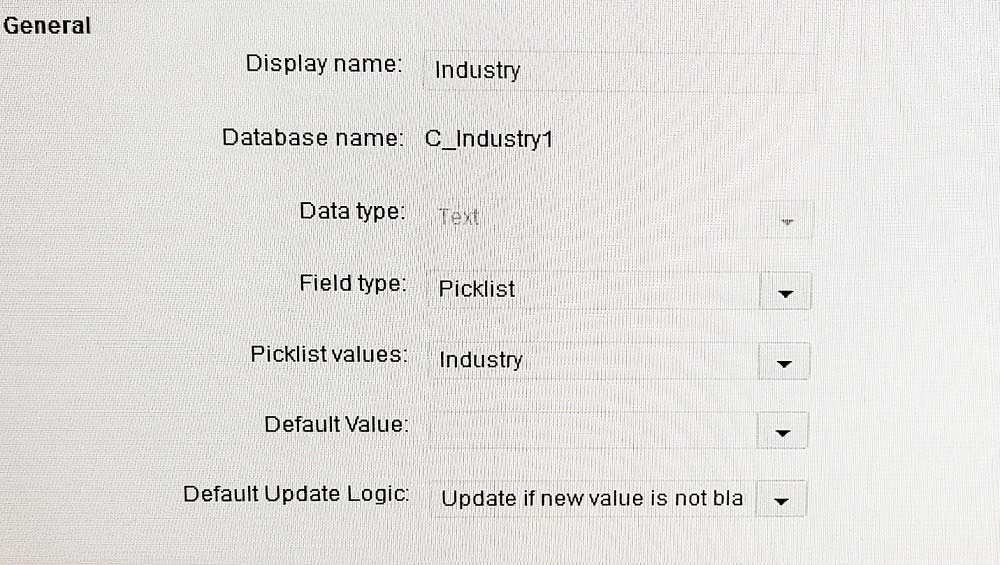
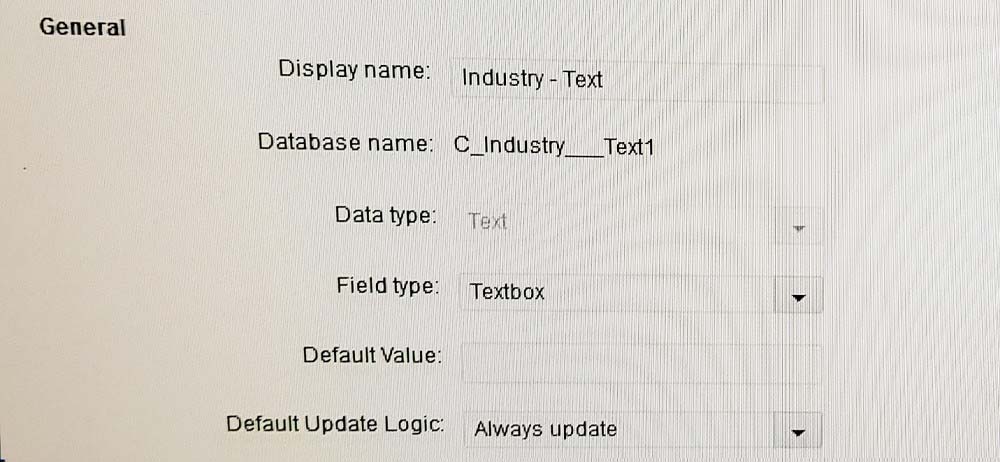
Your client wants to include Industry in their scoring model. You notice that they have two fields for Industry:
How do you proceed before building and launching the scoring model?
ALook at the field dependencies and discuss with the client how each field is being used.
BUse the Industry field with "contains" operators to isolate the desired industries.
CLook at the field population data and use the field with the highest % population.
DUse the Industry –Text field with "contains" operators to isolate the desired industries.
How should you configure an external call to work with Custom Object records?
ACreate an external call and set the datatype to Data Card.
BCreate an external call and set the datatype to Custom Record.
CCreate an external call and set the datatype to Contact, then ensure that linked data objects is selected.
DCreate an external call and set the datatype to User.
Which three settings need to be configured to enable the use of an unsubscribe list hosted on an SFTP server?
ASSL Certificate
BData import purpose set to Unsubscribe
CNotification rules
DA valid SFTP configuration
EIn the field mapping, set to match uniquely on Email Address
Your client has a list of URLs that need to be given a new page tag. Existing page tagging operations should not be affected when applying this tag.
Which three elements/changes are needed to achieve this?
AA valid CSV file
BA valid TSV file
C"Include pages that are part of an auto tagging rule" in the upload tags dialog box set to true
D"Append existing page tags with uploaded spreadsheet" in the upload tags dialog box set to true
E"Include pages that are part of an auto tagging rule" in the upload tags dialog box set to false
Which two steps should you take to identify the POD number of your client’s instance?
ANavigate to Assets> Email Defaults and observe the POD field.
BCreate an Eloqua support ticket and request this information.
CLook at the URL of the Eloqua instance: secure.p0[pod number here].
DNavigate to Admin> Company Defaults and observe the POD field.
ESend an email to yourself from the Eloqua system and observe the headers.
How do you send a fixed value from an external form to Eloqua for reporting purposes?
AIn Form Design, create an Extended Contact Info Field Group.
BConfigure a form processing step to Post Data to Server.
CAdd a hidden field to the form with the required value. Posting to this form will also submit the required value.
DWhen the page loads, submit a http request to the API and send the desired value.
EConfigure a form processing step to Run Integration Rules.
A visitor submits a form requesting information on a product in their industry. You have a list of industries with the corresponding email names in the next column.
In the Form Processing steps, how should you dynamically define the email they receive based on their industry?
ASend Notification Email > Always send the same email
BSend Submitter an Email> Always send the same email
CSend Notification Email > use a picklist to select the email > Choose field: Industry> use a lookup table
DSend Submitter an Email > Use a picklist to select the email > Choose form field: Industry> Use a lookup table
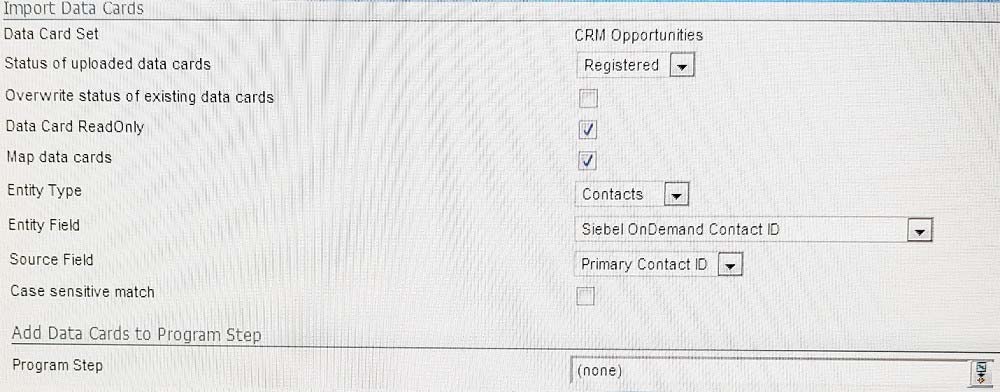
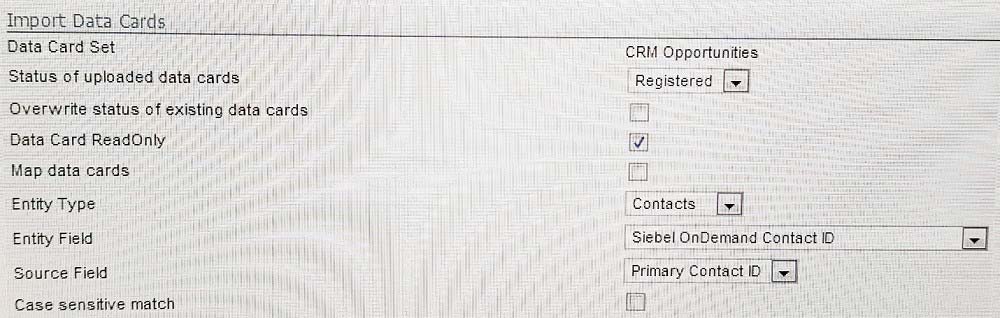
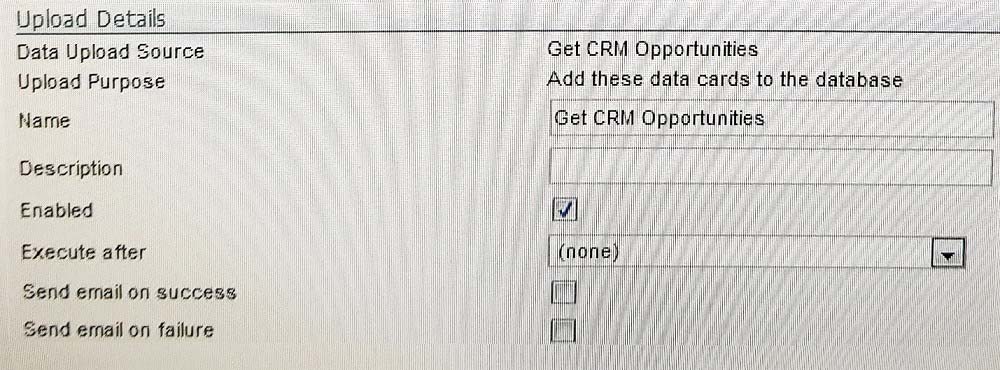
You create an auto sync to populate a custom object. The auto sync history shows that records were successfully created, but when you look at the Custom
Object Records Mapped to Contact Breakdown report, you see that none of the custom object records are mapped to the contact records.
Which three configuration settings cause this?
A.
B.
C.
D.
E.
F.
AOption A
BOption B
COption C
DOption D
EOption E
FOption F
How should you verify that SPF has been implemented correctly?
AOrchestration > Tools > Campaign Settings
BAssets > Email Defaults > SPF pass status
CSend an email from the Eloqua system, then check the Email header for SPF= pass.
DSend a Campaign and check the Email Bounceback reports afterwards.
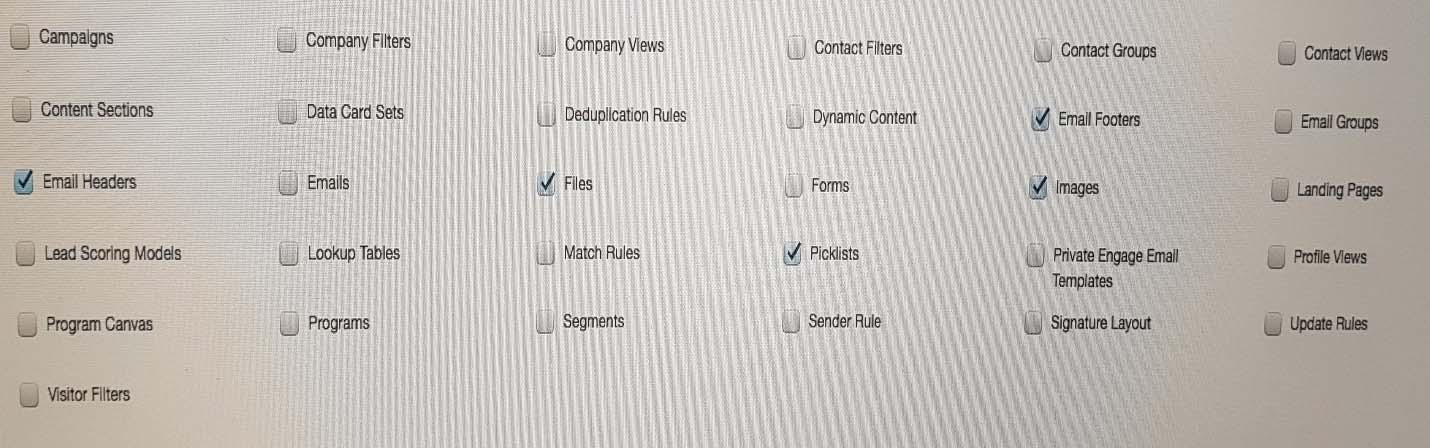
Exhibit 1 -
Active Users-Sales -
Security Group Overview/ Asset Creation
Select which asset types users can create. The assets selected here will dictate the list of assets that appear when configuring the default permissions for assets and Business Units.
Exhibit 2.
API Users-Sales -
Security Group Overview/ Asset Creation
Select which asset types users can create. The assets selected here will dictate the list of assets that appear when configuring the default permissions for assets and Business Units.
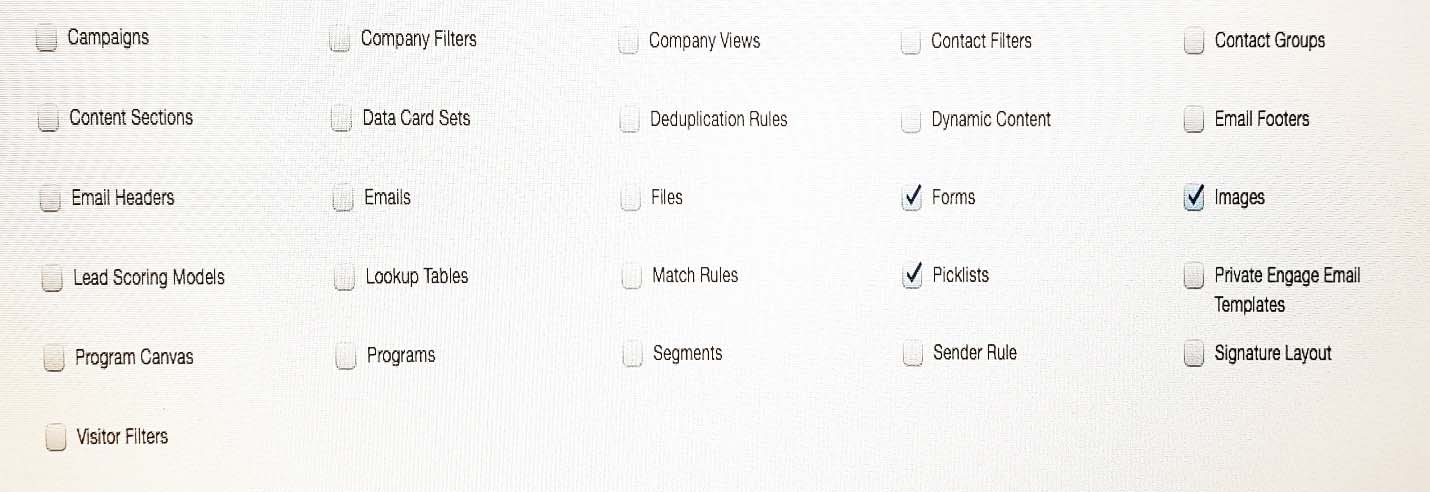
You created a user and assigned it the security groups Active Users- Sales and API Users only.
Which two statements are true?
AThe user will only be able to create files and picklists.
BThe user will only be able to create files, picklists, and images.
CThe user will be able to create Email Headers.
DThe user will be able to create Landing Pages.
EThe user will be able to create Forms, Images, and Contact Groups.