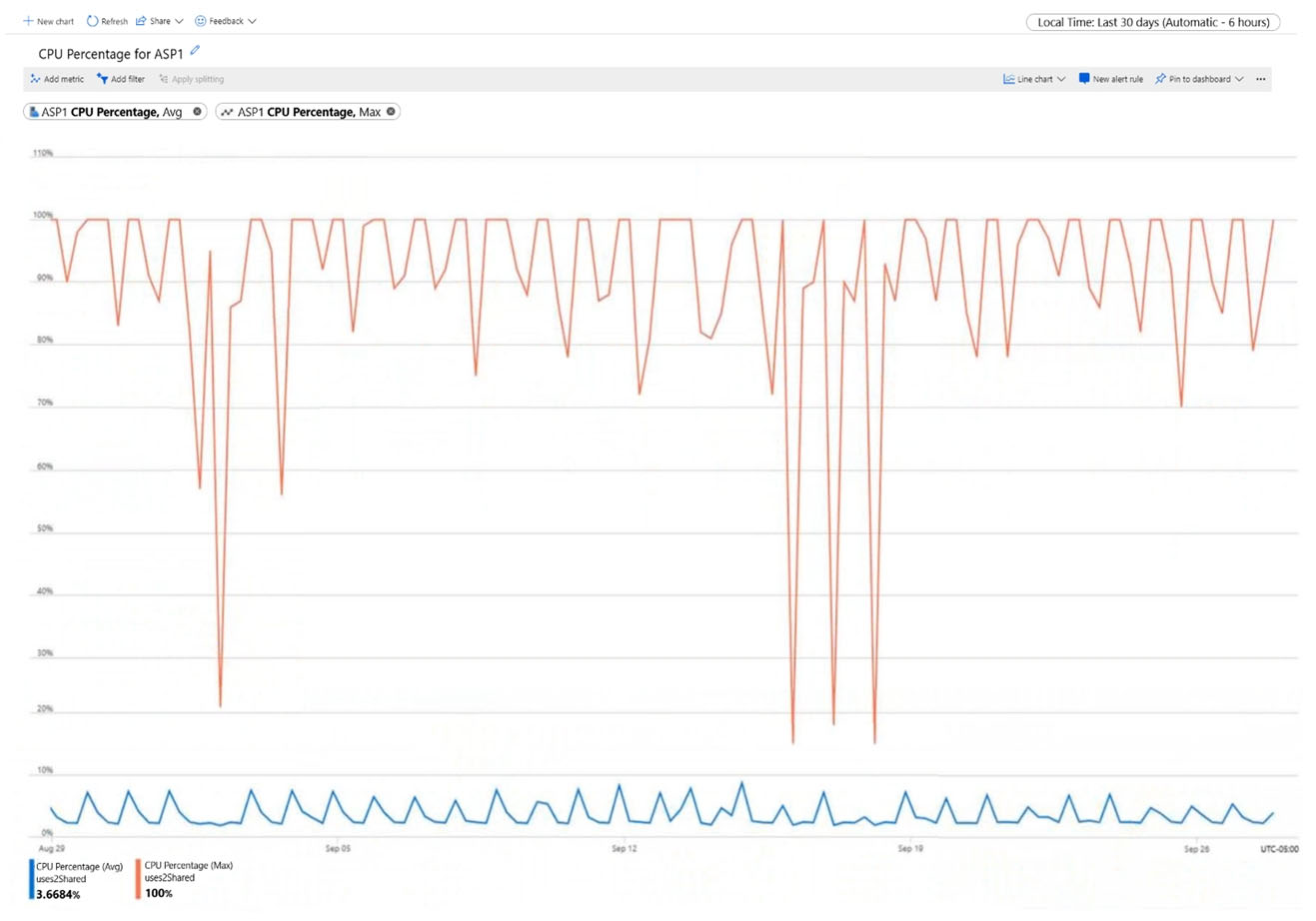
The exhibit's chart is set to a 6-hour automatic time grain (shown as "Automatic - 6 hours" in the top-right corner), so Azure Monitor plots a new average CPU data point every 6 hours, or 24 ÷ 6 = four times per day. Each point combines the 1-minute values inside its 6-hour time grain.
Microsoft's App Service best practices say repeated CPU spikes call for scaling up or scaling out. Scaling up is the only option for a stateful app; for a stateless app, scaling out gives more flexibility and higher scale potential. Max CPU repeatedly hits 100% while average CPU is only about 3.7%, so the load comes in short bursts. Adding instances (for example with CPU-based autoscale) handles the bursts without paying for a larger tier around the clock. Scaling down is wrong because peak CPU is already saturated.
Community Discussion