QuestionQ286
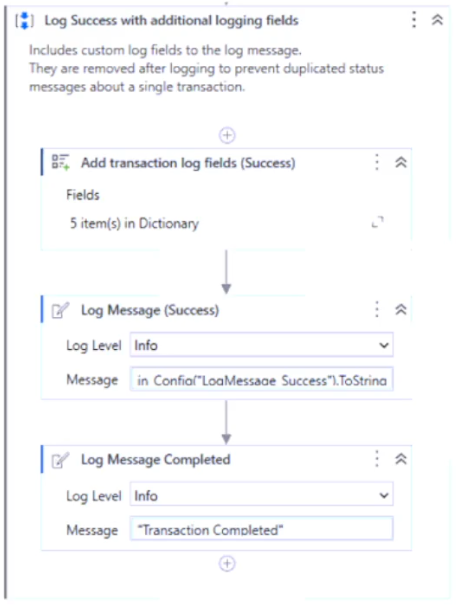
VerifiedUiPath REFrameworkA developer uses the REFramework template to automate a process. In the SetTransactionStatus file, the developer chooses to remove the Remove Log Fields activity and add an extra Log Message activity, as shown below:
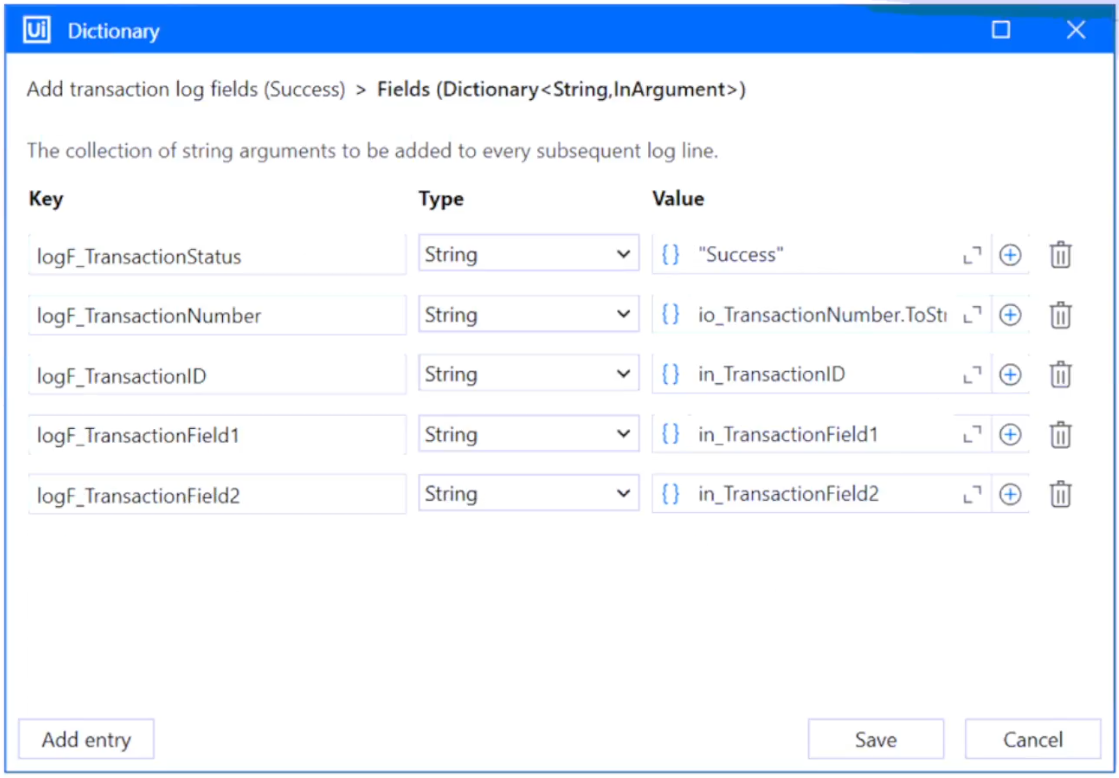
The configuration of the Add transaction log fields (Success) activity is shown below:
The developer executes the process and observes that the argument values for the first transaction are as follows:
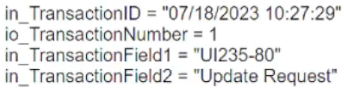
Which of the following Log Message Details is displayed when the Log Message Completed activity executes for the first transaction, assuming the transaction is successful?
Community Discussion