QuestionQ26
Testing and DebuggingConsider testing a workflow that calculates the sum of two numbers using the data-driven test data from the Excel file below:
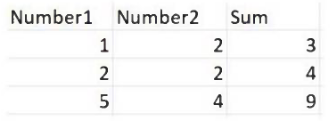
When the workflow functionality is expanded to calculate the sum of three numbers, the data must also be updated to support the new scenario:
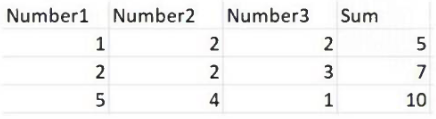
What steps should be taken to do this?
- A Click Right on the Test Case and select Update Test Data.
- B Click Right on the Test Case and select Add Test Data.
- C Click Right on the Test Case and select Refresh Test Data.
- D Click Right on the Test Case and select Remove Test Data.
Community Discussion