QuestionQ252
VerifiedUiPath REFrameworkA developer uses the REFramework template to automate a process. In the “SetTransactionStatus” file, the following activity sequence exists; the developer added the final Log Message activity:
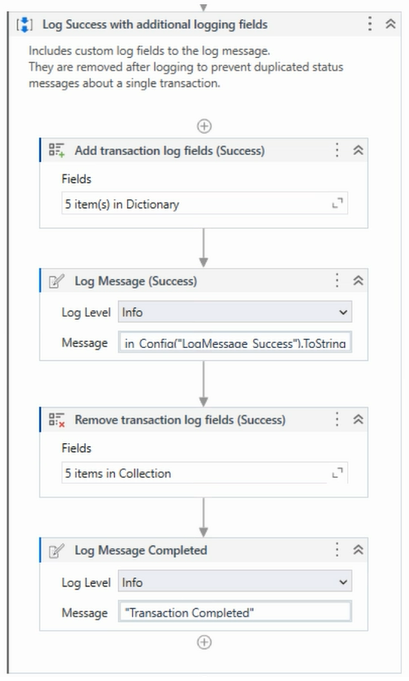
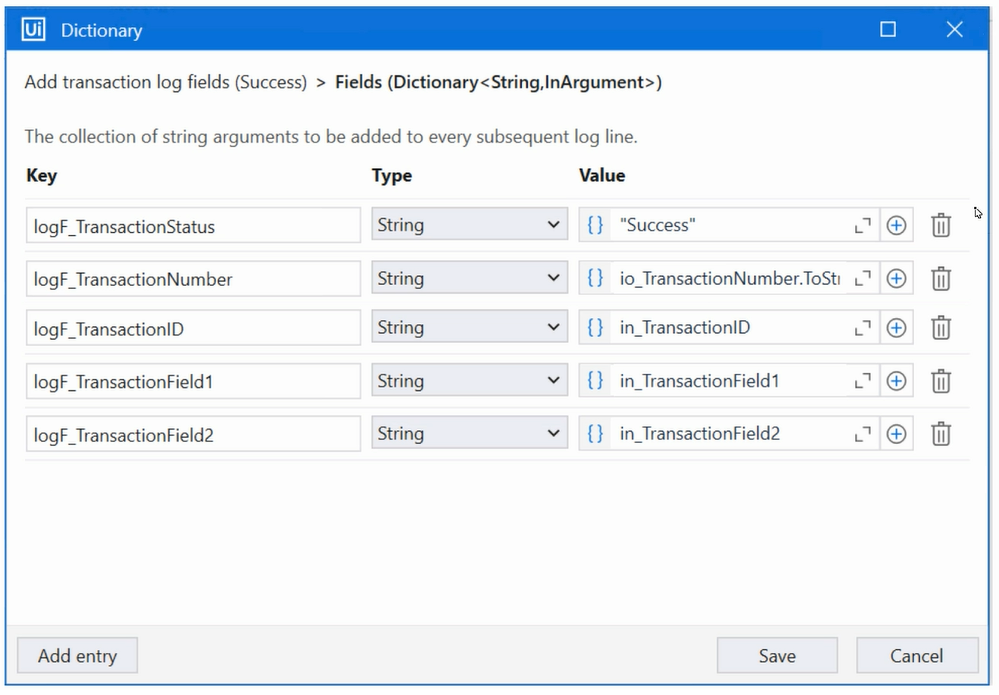
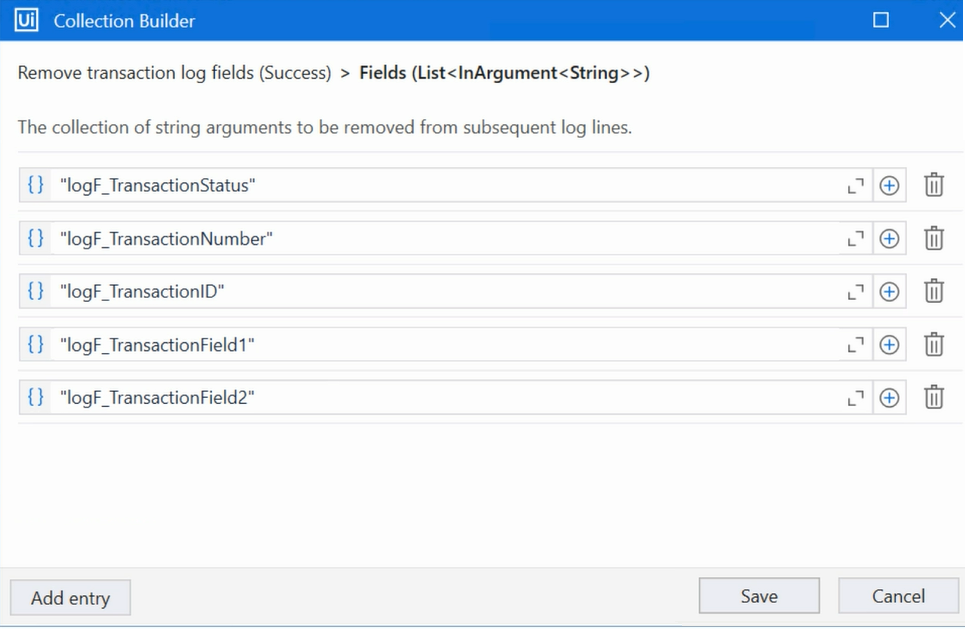
The configurations for the Add Log Fields and Remove Log Fields activities are shown below:
Add transaction log fields (Success)
Remove transaction log fields (Success)
The developer runs the process and observes that the argument values for the first transaction are:
- in_TransacationID = “07/18/2023 10:27:29”
- io_TransactionNumber = 1
- in_TransactionField1 = “UI235-80”
- in_TransactionField2 = “Update Request”
Which Log Message Details will be displayed when the Log Message Completed activity executes for the first transaction, given that it is successful?
Community Discussion