QuestionQ187
VerifiedImplementación y administración de una infraestructura de red local e híbridaYour organization has a main office and 10 branch offices connected via WAN links, within a single Active Directory domain. All users have laptops and travel regularly between offices.
You plan to deploy BranchCache in the branch offices. In each branch office, a server running Windows Server with the BranchCache feature has been installed, and these servers have been registered in Active Directory.
You need to configure the laptops so that they automatically use the local BranchCache server, while keeping administrative effort to a minimum.
Which two Group Policy settings should you enable?
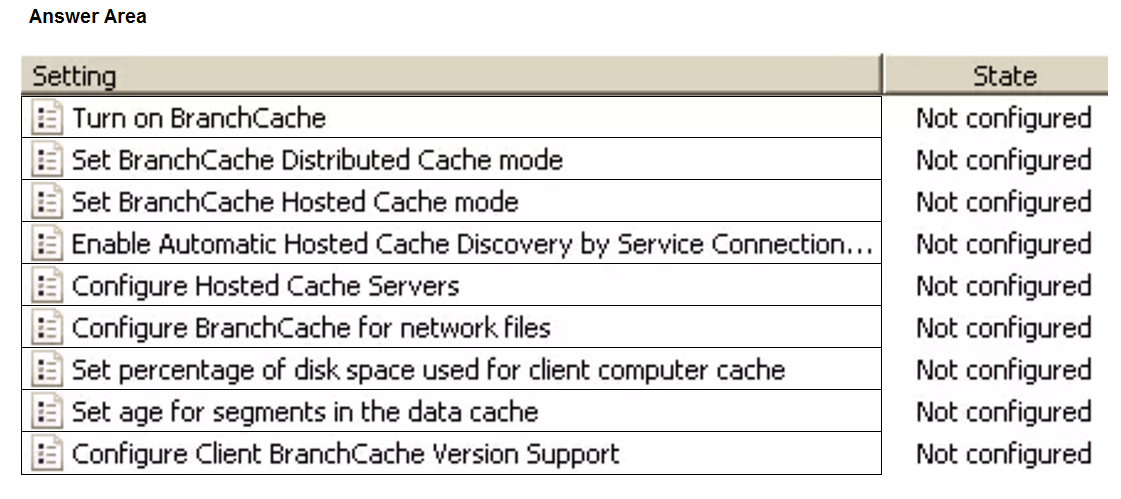
Configure or Not configured
| Statements | Configure | Not configured |
|---|---|---|
| Turn on BranchCache | ||
| Set BranchCache Distributed Cache mode | ||
| Set BranchCache Hosted Cache mode | ||
| Enable Automatic Hosted Cache Discovery by Service Connection... | ||
| Configure Hosted Cache Servers | ||
| Configure BranchCache for network files | ||
| Set percentage of disk space used for client computer cache | ||
| Set age for segments in the data cache | ||
| Configure Client BranchCache Version Support |
Community Discussion