QuestionQ84
VerifiedSecurityA customer has configured 802.1X authentication with MAC authentication fallback and reports that printers are inaccessible with the following new configuration.
A successful HPE Aruba Networking ClearPass Access Tracker entry assigns the correct user role, and the printer MAC address is confirmed as learned in the correct VLAN. However, the printer’s network settings show an IP address beginning with 169.254.
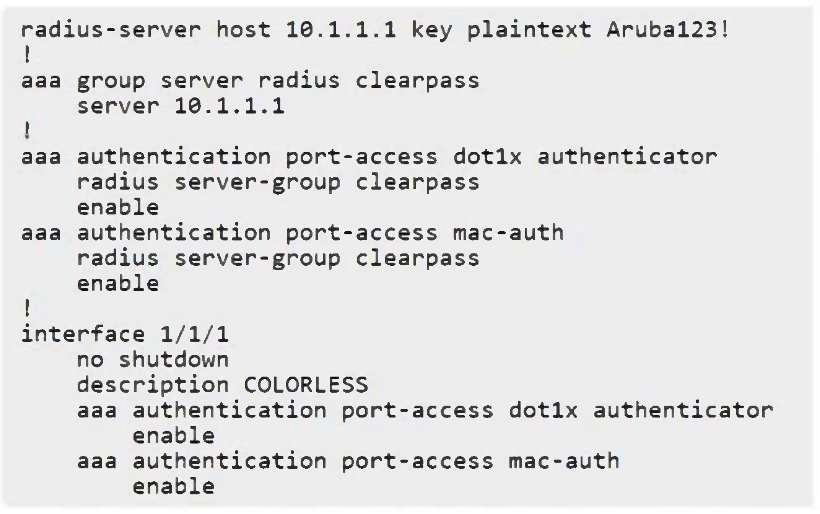
Which configuration change would you recommend to resolve the issue?
Community Discussion