301B: BIG-IP LTM Specialist: Maintain and Troubleshoot
By F5 · Question Mode
QuestionQ22
Identify and Resolve LTM Device Issues
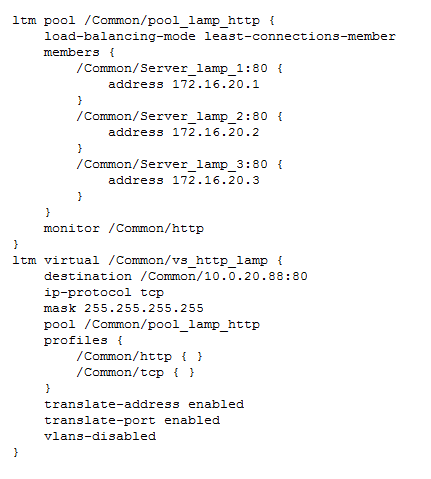
Refer to the exhibit.
Users report that a web application behaves incorrectly. At times, contextual data displayed on the web pages is correct; at other times, it is incorrect.
The LTM administrator examines the connection table, filtering for one of the currently connected client IP addresses, with the command tmsh show sys connection cs-client-addr 10.0.20.1, and receives the following results:
Community Discussion