QuestionQ31
Erasing, Reinstalling, or Restoring MacUse the following image to answer the question.
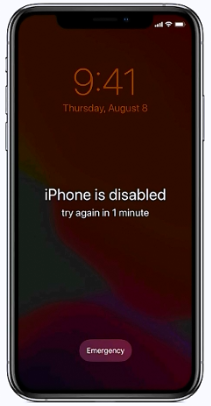
What should you do when you have forgotten your passcode and your iPhone is disabled?
- A Put your iPhone in recovery mode, then connect it to your Mac or PC to restore it.
- B Force shut down your iPhone and wait 10 seconds, then turn it back on.
- C Wait until the Forgot Passcode? message appears, then follow the instructions.
- D Connect your iPhone to your Mac, then use Apple Configurator to revive the device.
Community Discussion