QuestionQ14

Profiles and Protocols

Question Image

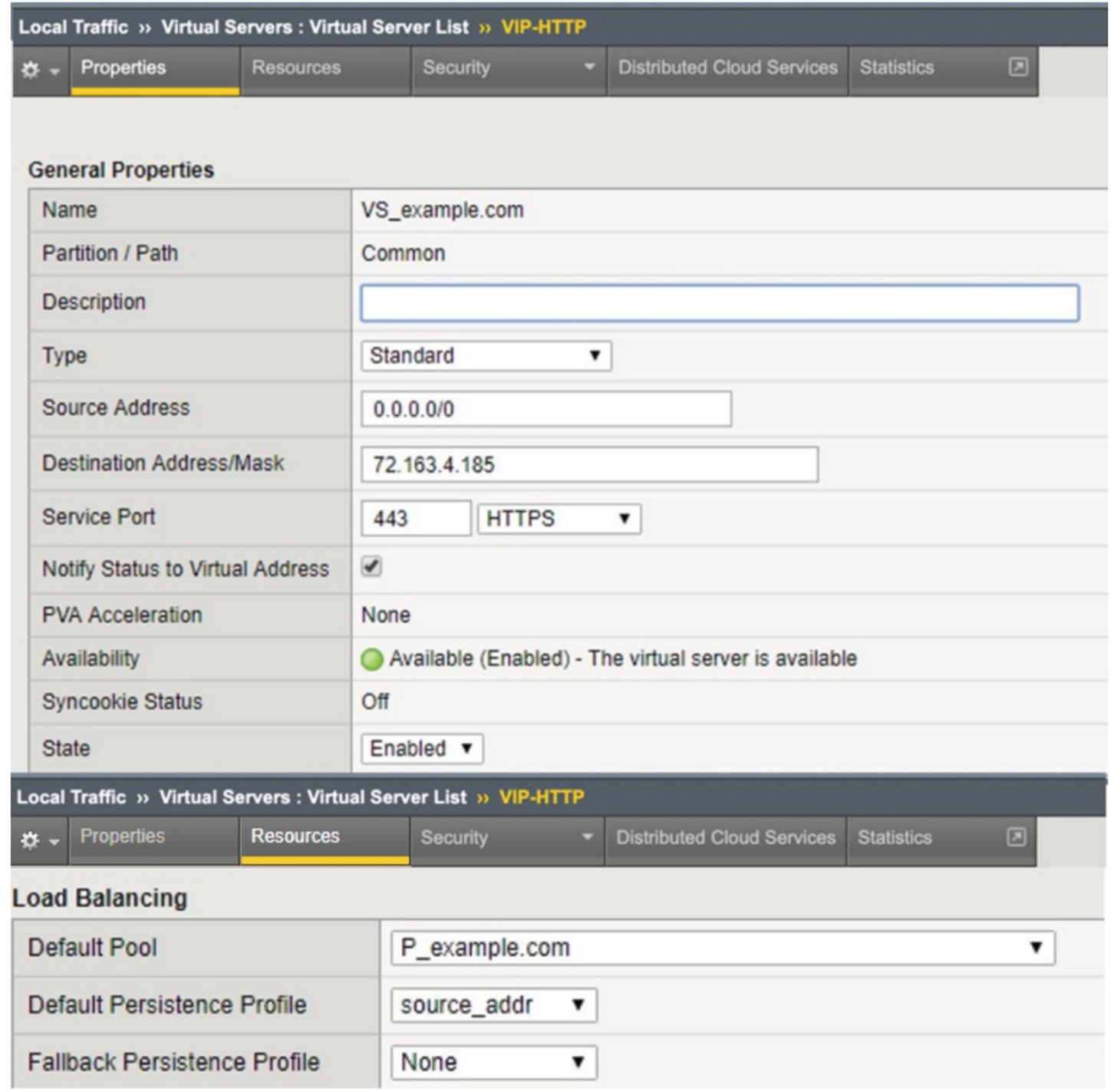
Refer to the exhibit above.

An organization is reporting slow performance accessing their Intranet website, hosted in a public cloud. All employees use a single Proxy Server with the public IP of 104.219.110.168 to connect to the Internet.

What should the BIG-IP Administrator of the Intranet website do to fix this issue?

  • A Change Default Persistence Profile to cookie
  • B Change Load Balancing Method to Least Connection
  • C Change Fallback Persistence Profile to source_addr
  • D Change Source Address to 104.219.110.168/32
Explanation

The virtual server is configured with a Default Persistence Profile of source_addr, which persists client connections to the same pool member based solely on the client's source IP address. Because all employees connect through a single proxy server with one public IP (104.219.110.168), every user's traffic appears to come from that same IP, causing BIG-IP to send all of them to a single pool member instead of distributing load across the pool — this creates a bottleneck and degraded performance. Switching the Default Persistence Profile to a cookie-based persistence profile resolves this because cookie persistence identifies and tracks individual clients using a unique HTTP cookie rather than the shared source IP, allowing BIG-IP to properly distribute and load-balance traffic among all available pool members even when many users share the same proxy IP address.

Learn more

Community Discussion

No comments yet. Be the first to start the discussion!