QuestionQ81
VerifiedSystem ManagementSIMULATION
You are a systems administrator who created an uncompressed backup of the application directory. Several hours later, you need to restore the application from that backup.
INSTRUCTIONS
In each tab, select objects to build the appropriate command for creating the backup and restoring the application.
Command objects can be used only once, but the spacebar ˽ object can be used multiple times. Some objects will not be used. Use the arrow to remove unwanted objects from a command.
To return the simulation to its initial state at any time, select Reset All.
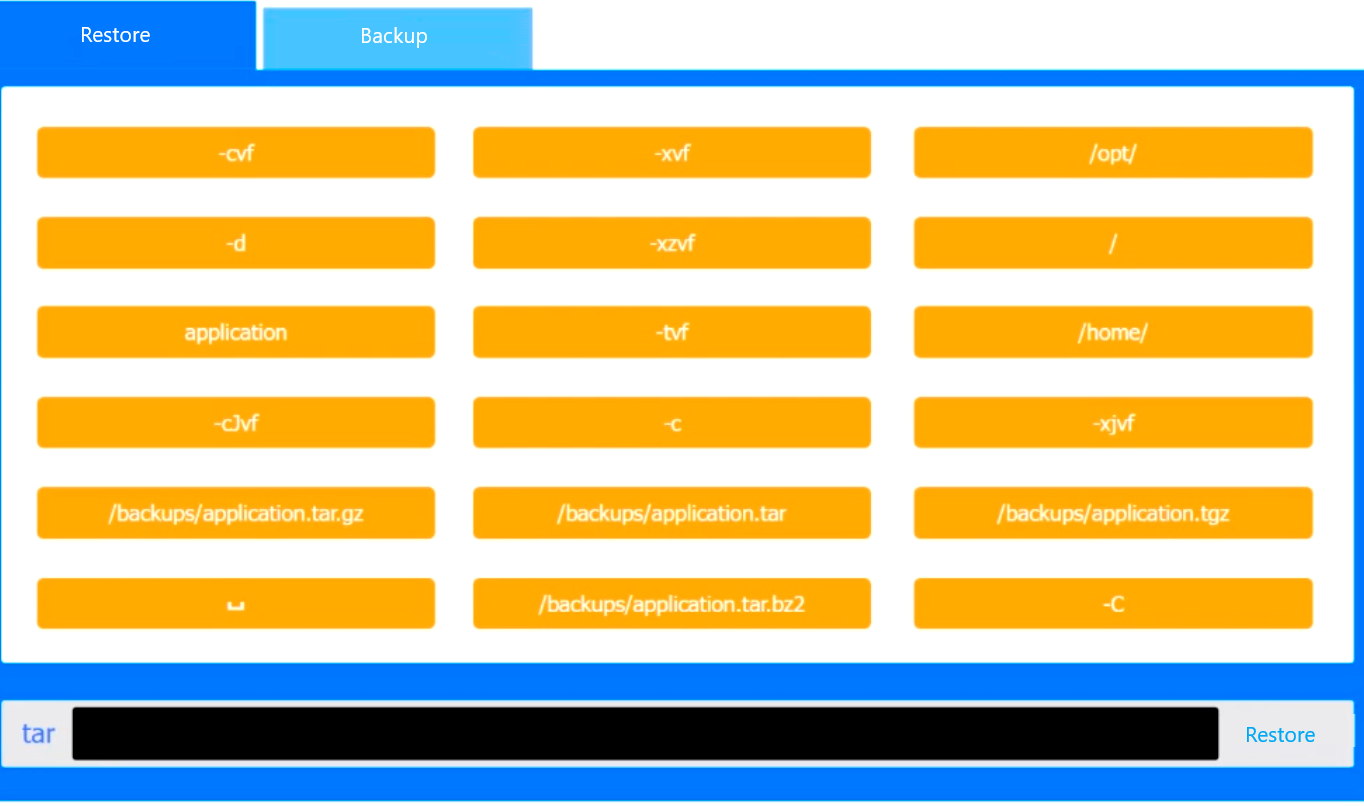
Drag & Drop
Backup command: tar Restore command: tar
Community Discussion